

Monitor Machines. Plan Maintenance.
Industrial sensors, edge computing and expert insight — a complete system from the measurement point to the recorded history.
Partner Solution: iQunet
Squawk Technologies is an authorised UK partner for iQunet — a complete industrial monitoring system built around sensors, local processing and analysis in one connected workflow.
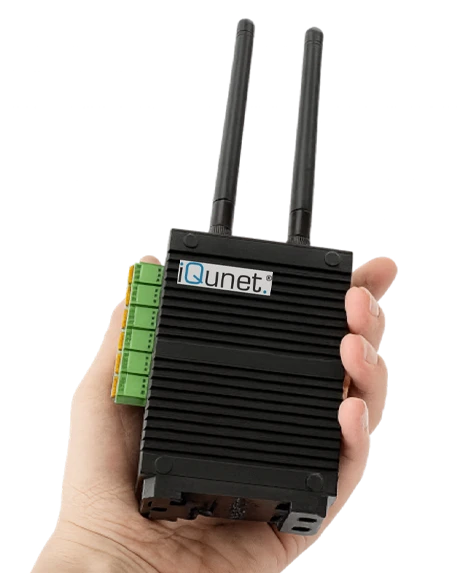
iQunet sensors capture vibration, current, temperature and position data directly at the machine. The Edge Gateway M4 collects that data locally, runs embedded analysis software and exposes open interfaces — so your measurements stay on your infrastructure and connect to the systems your team already uses.
The system is designed for engineers who need reliable measurement data without complex infrastructure. Start with a single measurement point and scale as your monitoring requirements grow.
Technical Capabilities
Wireless Sensor Network
Battery-operated sensors connect without cabling. Deploy on rotating machinery, pipework or structural elements and scale the network as requirements grow.
Vibration & Waveform Analysis
Capture time-domain waveforms and frequency spectra. Use Vibration Expert to compare recordings, locate fault frequencies and track changes through history.
Edge Gateway M4
Local storage, embedded analysis software and open data interfaces in one unit. No cloud dependency — your measurements stay on your infrastructure.
Trend Monitoring
Follow RMS, peak and spectral trends over time. Set thresholds and receive alarms when a measurement departs from its established baseline.
Long Battery Life
Sensors are designed for multi-year operation on a single charge. Configurable recording intervals balance measurement frequency against battery consumption.
Open Interfaces
OPC UA, MQTT and GraphQL expose measurements to SCADA, CMMS and engineering tools. Bring condition data into the systems your team already uses.
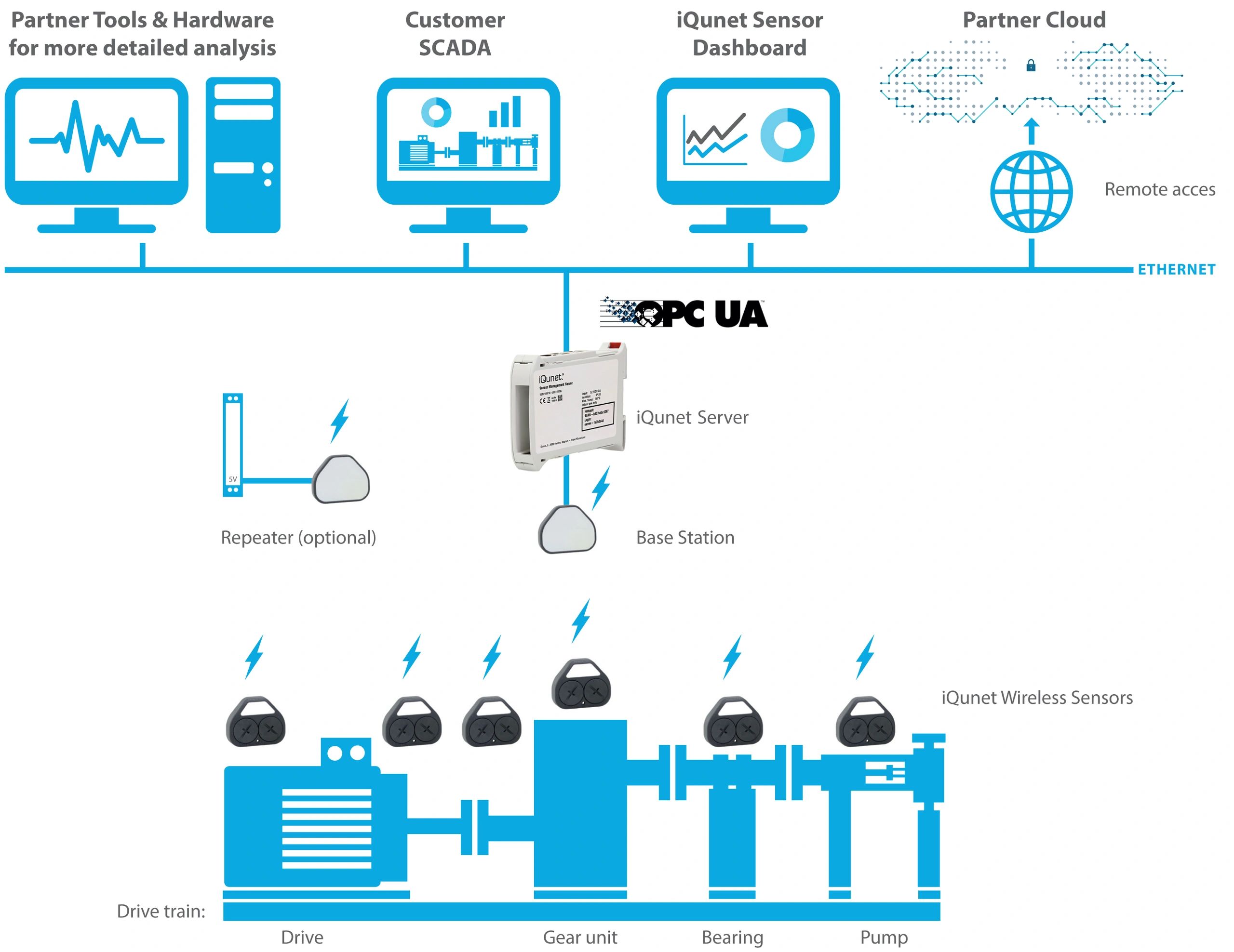
How the System Works
Measure on the Machine
Wireless sensors capture vibration and current waveforms, or follow power, position and environmental measurements directly at the asset.
Keep a Local History
The Edge Gateway M4 collects compatible sensor data in one place, providing local storage, embedded software and open data interfaces.
Investigate the Change
Review equipment status and trends in your browser, then open a waveform or spectrum for a closer look — software runs on the M4, no cloud required.
Connect to Your Systems
Use OPC UA, MQTT and GraphQL to bring measurements into your control systems, CMMS or engineering tools — or query them directly via the OpenAI MCP integration.
Deployed across leading industrial sectors
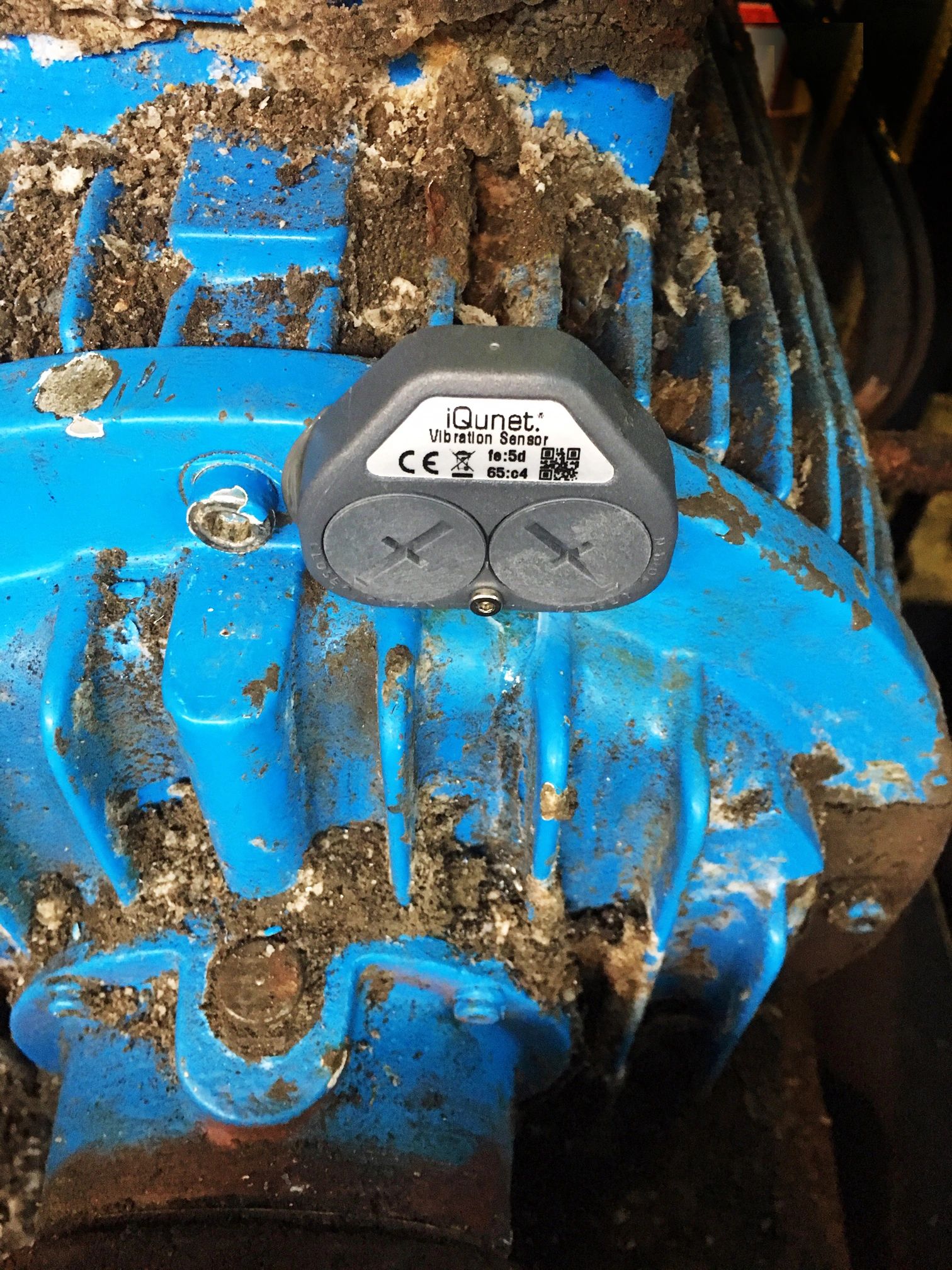
Paper Mills
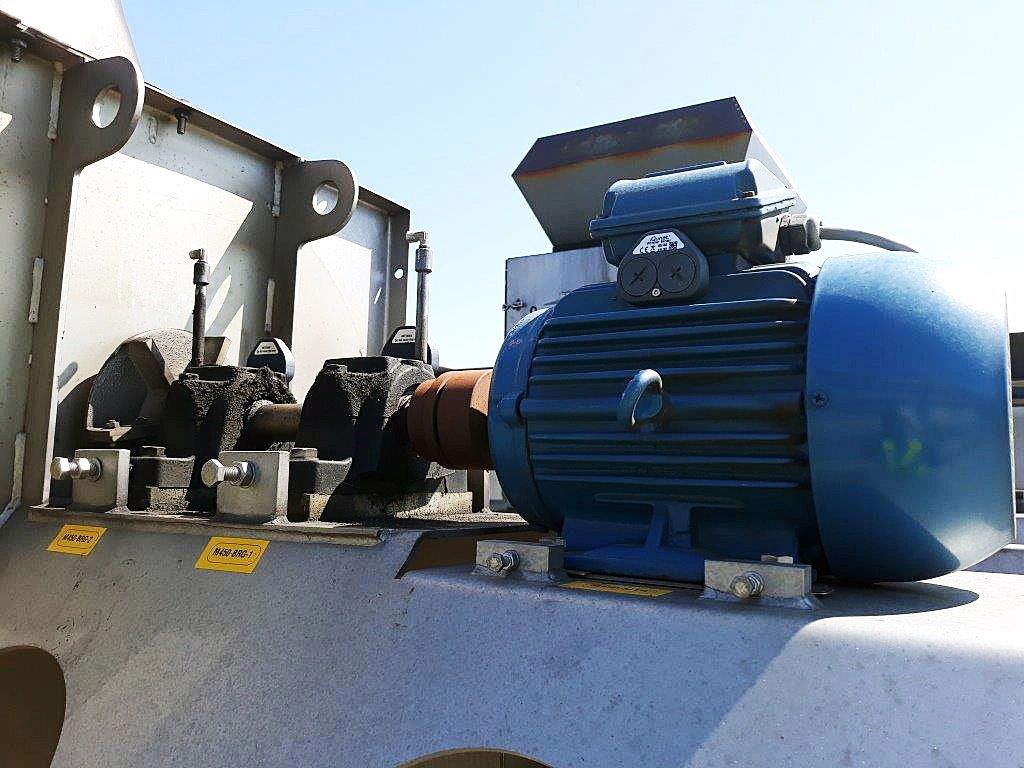
Recycling & Airports
Monitoring & Insights
Equipment status, recorded waveforms and measurement history — in your browser, with data stored on your iQunet edge server.
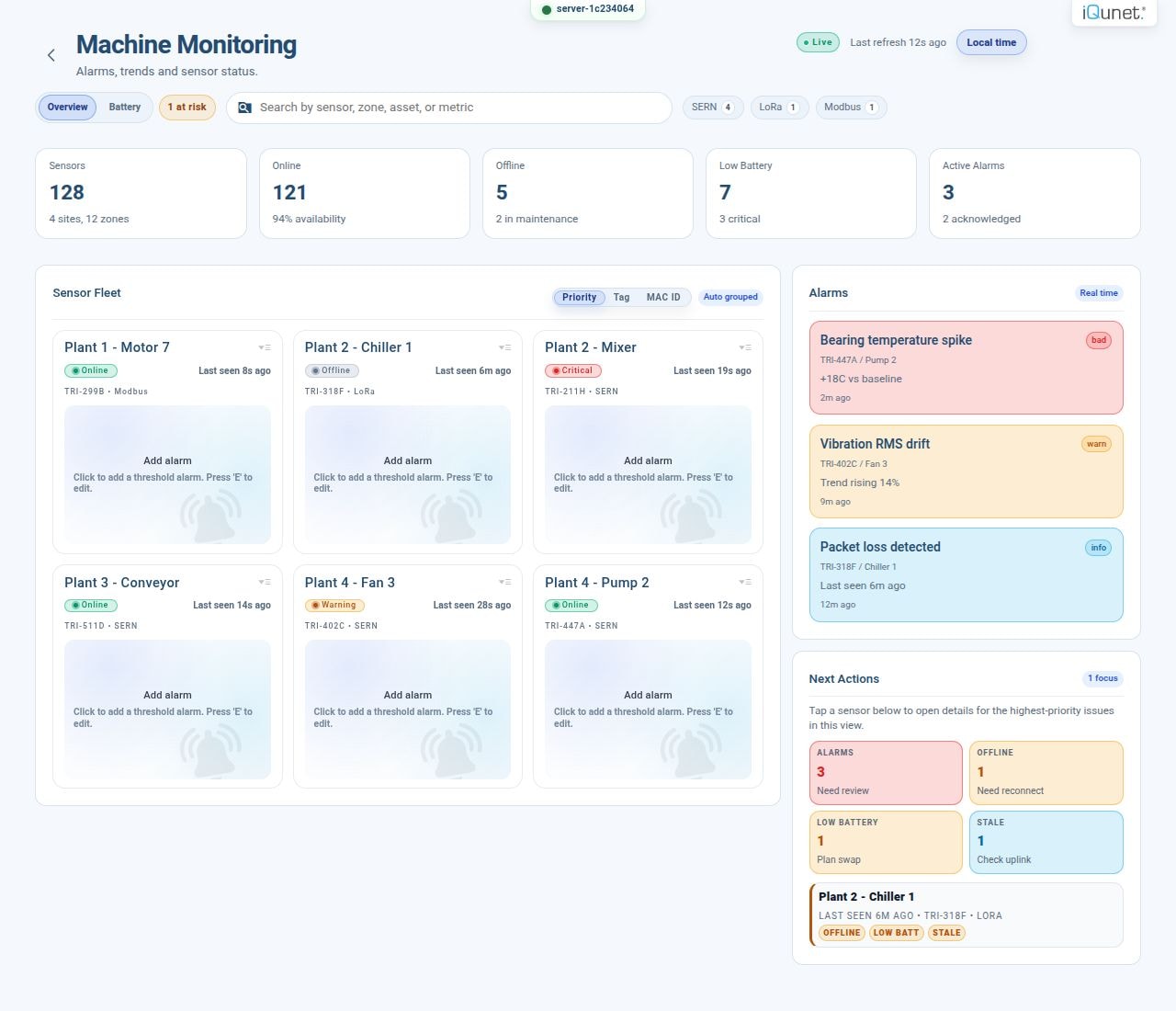
Equipment Status in One View
See your equipment, sensor connections and alarms together. Open a device to inspect the measurements behind its status.
Set the Measurement
Choose supported sensor settings and recording intervals around the machine's operating cycle.
Follow the History
Compare changes over time, then open the waveform or spectrum for a closer look.
Keep the Data Available
The edge server stores your measurements. Use its browser interface locally or through your installation's remote connection.
Anomaly Detection Service
The optional Anomaly Detection Service compares new vibration or current measurements with patterns learned from your equipment. A trained autoencoder model returns to your edge server -- inference runs locally, with no ongoing cloud dependency.
Select Representative History
Choose recordings that reflect the equipment's normal operating behaviour.
Train for That Equipment
Selected data is compressed and transferred to iQunet's machine-learning servers. The trained model returns to your edge server.
Evaluate New Recordings Locally
Follow anomaly trends, set thresholds and inspect the associated waveform and spectrum. Inference runs on the edge server.
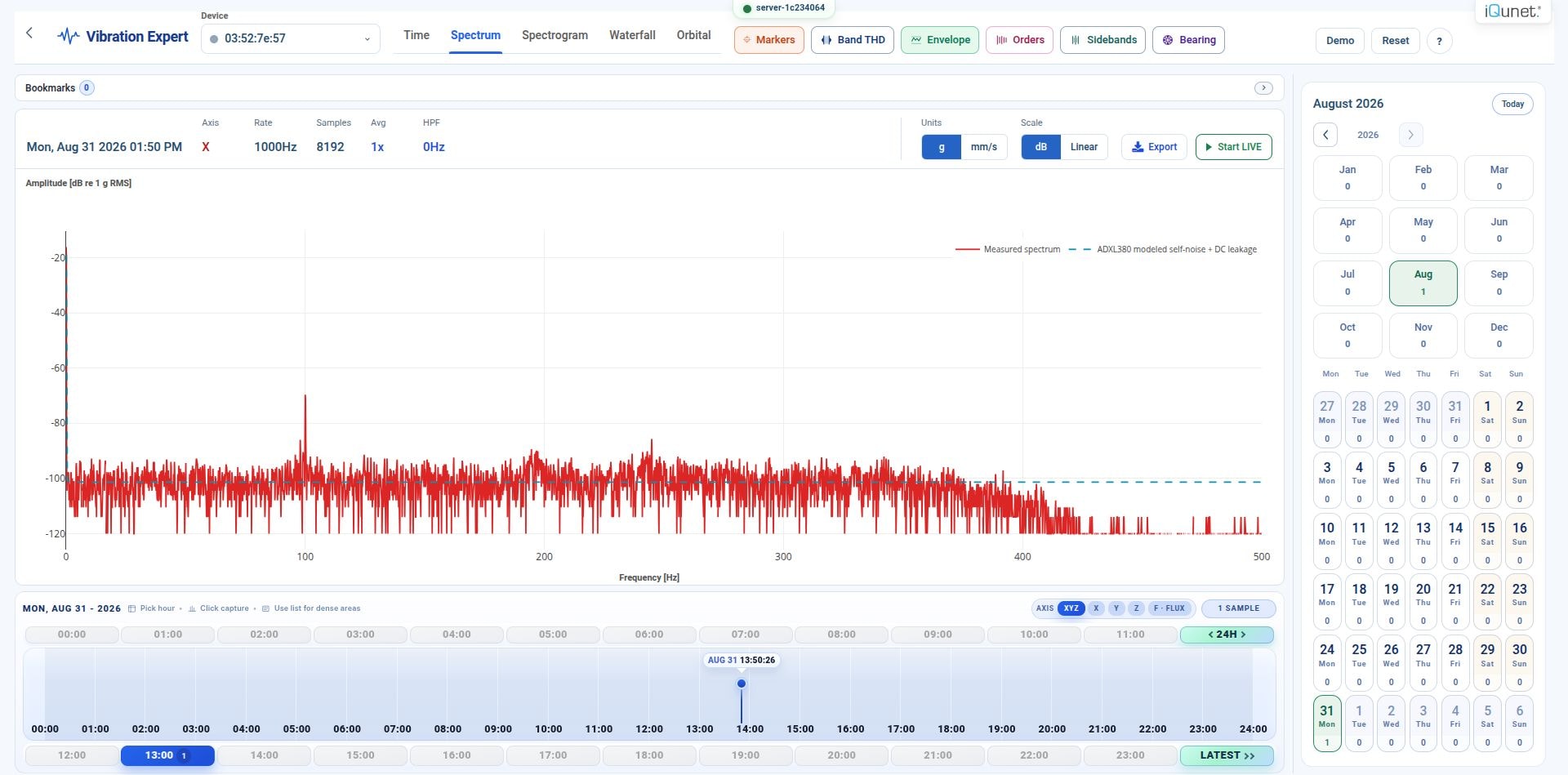
From a Trend to the Underlying Signal
Use Vibration Expert to investigate a recording in time and frequency, then compare it with earlier measurements. Locate fault frequencies using frequency markers, inspect harmonics and sideband spacing, and export recordings as CSV for your own calculations and reports.
Anomaly Detection Service
The optional Anomaly Detection Service compares new vibration or current measurements with patterns learned from your equipment. A trained autoencoder model returns to your edge server -- inference runs locally, with no ongoing cloud dependency.
OpenAI MCP Integration
Your machine data. Ready for a conversation.
Connect ChatGPT or Codex to your iQunet gateway through OpenAI MCP. Ask questions, compare recorded measurements across time, inspect signals and prepare reports — directly in your AI workspace.
Discover & Read
Browse available sensors, read current values and retrieve measurement history. Signal identity, timestamps and engineering units are preserved.
Compare Over Time
Ask ChatGPT to compare a chosen time period across sensors or against an earlier baseline — with a single prompt.
Prepare Reports
Use retrieved measurements for calculations, charts and written reports in your AI workspace. Export-ready without leaving the conversation.
The gateway connects outward over HTTPS. No inbound port forwarding is needed. Your monitoring database remains local — measurements requested through MCP are returned to the connected AI client for analysis. You manage the tunnel, its restricted runtime key and the private workspace app.
Getting Started
Prepare the Workspace
Create a tunnel in your OpenAI organisation and associate it with the intended ChatGPT workspace.
Connect the Gateway
Enter the tunnel ID and restricted runtime key in OpenAI MCP, enable the bridge and save.
Add the Private App
Use the configured tunnel in your workspace app and confirm the gateway reports a ready connection.
Read a Measurement
Start a new ChatGPT or Codex session and discover the available sensors and read tools.
You ask
"Compare the temperature histories of these two sensors over the last seven days. Plot them on the same time scale."
AI response
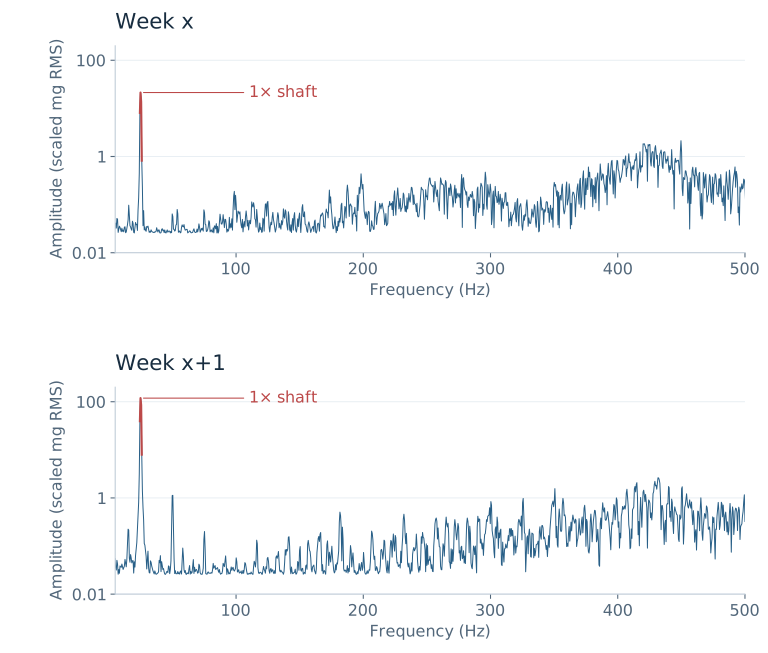
"The shaft-speed component near 25 Hz is about 5.7× its previous amplitude. Possible cause: rotor imbalance. Phase and directional measurements would help confirm the cause."
M4 Software Manual
Explore the iQunet M4 gateway software. Click any chapter card below to open its full interactive tutorial — no hardware required.
Three ways to reach the same M4
Choose one access route
Browser
Local Network
Ethernet or Wi-Fi · No internet needed
Air-gapped VPN
Remote access · Your configured VPN
iQunet WebRTC
Internet access · connect.iqunet.com
Stores your data
Click a card to start its tutorial
Manage devices and network settings
Set thresholds and manage sensor alarms
Advanced time and frequency analysis
Design custom interactive displays
Explore the OPC‑UA address space
Data, AI and notifications — OpenAI MCP, MQTT, Teams
Device settings and services
Configure physical and virtual interfaces
Manage local database and file system
Tutorials are hosted by iQunet at iqunet.com and open in a new tab.
Start monitoring your machines with iQunet
Tell us which machine and what is happening. We'll help you choose the right sensors, connections and configuration.